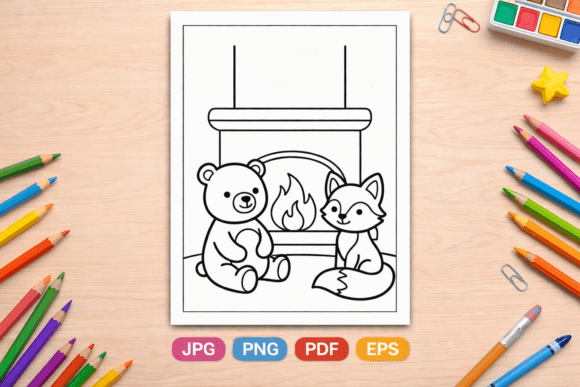
Sweet Treats Cafe Coloring Pages: A Practical Resource for Creators, Educators, and Entrepreneurs
Coloring pages have moved far beyond simple pastime activity. For professionals, educators, and small business owners, a well-designed set of coloring pages represents a versatile asset that can serve multiple purposes across different workflows. Sweet Treats Cafe Coloring Pages offers exactly this kind of utility, combining high-quality design with practical file formats that fit into real-world production pipelines.
This article walks through what this collection includes, how it integrates into various professional and creative processes, and how you can make the most of the 20 unique pages whether you are publishing on Amazon KDP, creating educational materials, or building print-on-demand products.
What Sweet Treats Cafe Coloring Pages Delivers
At its core, this collection provides 20 distinct coloring pages centered around a dessert cafe theme. Each page is rendered at 300 DPI in a square 1:1 composition, meaning every image is perfectly proportioned for square-format books, digital canvases, and print layouts. The high resolution ensures crisp lines and clean details, which matters whether you are printing at home or sending files to a commercial printer.
The delivery system is worth noting. Because the files are large and high quality, you receive a PDF Instruction Guide containing a direct link to access everything via secure cloud storage. This approach keeps your downloads manageable while giving you immediate access to three file formats: a multipage PDF containing all 20 pages combined, 20 individual PNG files with transparent backgrounds, and 20 JPG files with flattened backgrounds for straightforward printing.
Having all three formats in one purchase eliminates the need to convert files yourself. Each format serves a distinct purpose, and understanding those differences helps you integrate the pages into your specific workflow with minimal friction.
Multipage PDF for Book Publishing and Batch Printing
The single PDF file that combines all 20 pages is designed for efficiency. If you are creating a coloring book for Amazon KDP, this format lets you upload a ready-to-use interior file without assembling individual pages. The square 8.5 x 8.5 inch dimensions match KDP's standard square book size, so you can skip resizing and layout adjustments.
For educators and homeschoolers, the multipage PDF simplifies printing multiple copies for a classroom or group. One file, one print command, and you have a complete activity packet. This is especially useful when preparing materials for a themed lesson on desserts, cafes, or food culture.
PNG Files for Digital and Design Work
Transparent-background PNG files open up digital possibilities. If you use digital coloring apps on tablets or iPads, these files import cleanly and allow coloring directly on layers without a white background interfering. Graphic designers can layer individual dessert illustrations into larger compositions, marketing materials, or social media content.
For those creating digital products, the PNG format means you can sell or distribute individual pages as standalone downloads. You can also use them in educational software, interactive whiteboard activities, or custom worksheets where you want the image to sit on top of other design elements.
JPG Files for Straightforward Printing
The JPG versions are flattened with a white background, which makes them the easiest option for home printing or quick proofs. No transparency concerns, no extra steps. If you are testing layouts, creating physical samples, or preparing craft packs for a local event, these files are ready to go.
Before a Project: Planning and Preparation
If you are developing a coloring book for Amazon KDP, start by reviewing the multipage PDF to understand the visual flow of the collection. Note the variety of dessert themes, the complexity level of the line art, and the overall tone. This preview helps you decide whether the collection fits your target audience.
For educators, reviewing the PNG files before a lesson allows you to pull specific images into your presentation slides or digital worksheets. You can crop, resize, or combine them with text without worrying about background interference.
Small business owners exploring print-on-demand products can use the transparent PNG files to mock up designs on tote bags, t-shirts, or mugs before placing a production order. Upload the files to your POD platform of choice, position them on product templates, and evaluate the visual impact without any upfront printing cost.
During a Project: Execution and Production
When you are actively producing a coloring book, the multipage PDF streamlines the interior creation process. Import the PDF directly into your book formatting software, set your trim size to 8.5 x 8.5 inches, and confirm that the margins align with KDP's bleed requirements. Because the pages are already at 300 DPI and square, you eliminate the most common resizing and resolution headaches.
If you are running a workshop or classroom activity, print the JPG versions in advance. Group them by difficulty or theme, and consider pairing them with simple prompts or questions that extend the learning beyond coloring. For example, a cupcake coloring page can accompany a lesson on measurements or baking science.
Digital creators can import the PNG files into apps like Procreate, Adobe Fresco, or any layered coloring app. The transparent background means each page sits on its own layer, allowing you to color underneath or add effects behind the line art.
After a Project: Quality Control and Long-Term Use
Once your coloring book is published or your digital product is listed, keep the original files organized for future use. The PNG files, in particular, remain valuable as individual assets for social media content, email newsletters, or bonus downloads for your audience.
If you are a teacher, save the JPG files in a shared folder accessible to other educators in your school or network. A well-organized digital library of themed coloring pages can serve multiple grade levels and subjects over several semesters.
For entrepreneurs running print-on-demand stores, the transparent PNGs allow you to refresh your product listings easily. Swap in a new dessert design on a mug or T-shirt without recreating the artwork from scratch. The 20 unique designs give you enough variety to rotate offerings seasonally or test different product types.
Compatibility with Platforms and Tools
Sweet Treats Cafe Coloring Pages works directly with several common platforms and tools:
- Amazon KDP: The square format and multipage PDF align with KDP's interior specifications for square coloring books.
- Print-on-Demand services: PNG files with transparent backgrounds upload cleanly to platforms like Printful, Amazon Merch, Redbubble, and similar services.
- Digital coloring apps: PNG files import directly into apps designed for tablets and iPads.
- Educational software: JPG and PNG formats work with Google Classroom, Canva, PowerPoint, and worksheet creation tools.
- Design software: Adobe Illustrator, Photoshop, Affinity, and free alternatives like GIMP and Inkscape accept all three formats without conversion issues.
No special plugins or advanced technical knowledge are required. The file formats are industry standard, and the recommended square size eliminates guesswork for square-format projects.
Organization and File Management Tips
When you download the files, take a few minutes to set up a folder structure that matches how you work. Consider creating separate folders for the PDF, PNG, and JPG files. If you manage multiple projects, add subfolders by use case such as KDP Interiors, POD Mockups, Digital Products, and Classroom Materials.
Because the files are high resolution, they take up more storage space than low-quality alternatives. Keep the original files on a cloud drive or external storage if your local device has limited capacity. The cloud-based delivery system used for this collection is already a good model, you can maintain similar access for your own backups.
File naming can save time later. The PNG and JPG files come with descriptive names related to the dessert theme. If you plan to use them across multiple projects, avoid renaming them in ways that lose the thematic context. Instead, add prefixes or tags in your file system that indicate project name, date, or format.
Quality Control Considerations
Before publishing or printing at scale, test a single page through your intended output process. Print one JPG on your home printer to check ink behavior and paper compatibility. Upload one PNG to your POD platform to verify positioning and sizing. Import the multipage PDF into your KDP manuscript to confirm that page order, margins, and bleed settings are correct.
This small upfront check prevents wasted materials, time, and frustration later. The collection itself is professionally produced at 300 DPI, but every output pipeline, printer calibration, and platform specification introduces its own variables. Testing one page gives you confidence for the remaining 19.
Long-Term Value and Reusability
A single set of 20 coloring pages can generate value across multiple channels over time. The same PDF that serves as a KDP interior can also become a lead magnet for your email list. The same PNG files used for digital coloring can become bonus content for a paid course or membership site. The same JPG files printed for a classroom can be scanned and reused in future lesson plans.
The dessert cafe theme has broad appeal across age groups and contexts. Adults enjoy the nostalgic and relaxing quality of cafe imagery. Children respond to recognizable sweet treats. Educators can tie the theme into units on food, commerce, or art. This versatility extends the usable life of the collection far beyond a single project.
For creators who sell digital products, the transparent PNG files allow you to repackage individual pages as mini-collections or themed bundles. You can offer a five-page cupcake pack, a three-page ice cream set, or a full 20-page bundle without creating new artwork.
Making the Most of the Square Format
The 1:1 square composition is intentional. Square pages are popular on KDP because they stand out in search results and fit well on screens and shelves. They also simplify layout work since you do not need to worry about portrait or landscape orientation shifts.
For Instagram, Pinterest, and other visual platforms, square images display fully without cropping. If you promote your products or pages on social media, the square format means your coloring page previews look complete in feeds and grids. This alignment between product design and marketing convenience is not accidental.
Final Thoughts on Integration
Sweet Treats Cafe Coloring Pages is not just a collection of drawings. It is a production-ready resource that fits into publishing, education, digital product creation, and print-on-demand workflows. The three file formats anticipate the different ways people need to use coloring pages, and the square high-resolution specifications remove common technical barriers.
Whether you are publishing your first children's coloring book on Amazon, preparing themed worksheets for your classroom, or expanding your print-on-demand product line, the structure of this collection allows you to move from download to production with minimal friction. Take advantage of the file format options, test your output pipeline early, and think about how each of the 20 pages can serve multiple purposes over time. That approach turns a single purchase into a long-term creative and business asset.